You're streaming a video when suddenly it starts buffering. Your WiFi bars look full, your internet plan promises blazing speeds, yet here you are waiting for pixels to load. The culprit isn't your internet provider's throttling or a distant server—it's the fundamental physics of how radio waves behave when they encounter the everyday obstacles in your home.
WiFi operates in a invisible electromagnetic battleground where radio waves bounce, cancel out, and interfere with each other in ways that would make quantum physicists nod knowingly. Understanding this hidden physics explains why your connection drops in certain rooms, why microwaves kill your internet, and why that "simple" router upgrade might not solve your problems.
The Electromagnetic Spectrum Highway
WiFi doesn't travel through magical "internet waves"—it uses specific slices of the electromagnetic spectrum that we've internationally agreed to keep unlicensed. Your router broadcasts on either 2.4 GHz or 5 GHz frequencies, the same spectrum used by microwave ovens, baby monitors, and Bluetooth devices.
Here's the first physics lesson: higher frequencies carry more data but travel shorter distances and penetrate obstacles poorly. The 5 GHz band can push more bits per second than 2.4 GHz, but those higher-energy photons get absorbed more readily by walls, furniture, and even water vapor in the air.
The "Aha!" Moment
Your WiFi signal is literally light—invisible electromagnetic radiation traveling at 299,792,458 meters per second. When it slows down, it's not the light getting sluggish; it's taking longer, more complicated paths to reach you.
The Multipath Phenomenon
Unlike wired connections that send data through a single, predictable copper or fiber path, WiFi signals bounce around your environment like invisible billiard balls. This creates what engineers call multipath propagation—the same signal reaches your device via multiple routes simultaneously.
Picture this: Your router sends a WiFi packet toward your laptop. Some of the signal travels directly through the air. Some bounces off the metal filing cabinet, then off the window, before reaching you. Some reflects off the refrigerator in the kitchen, through the hallway, and arrives a few nanoseconds later. Each path has a slightly different length and travel time.
Constructive vs. Destructive Interference
When these multiple signal copies arrive, they either reinforce each other (constructive interference) or cancel each other out (destructive interference), depending on their phase relationship. Move your laptop a few inches, and you might shift from a dead zone where signals cancel out to a sweet spot where they amplify.
This is why "have you tried turning around?" actually works sometimes. You're not appeasing the WiFi gods—you're changing the multipath geometry and potentially moving out of a destructive interference pattern.
The Physics of WiFi Obstacles
Different materials interact with radio waves in characteristic ways, creating a complex electromagnetic landscape in your home:
Water: The WiFi Killer
Water molecules are natural absorbers of 2.4 GHz radiation—which is exactly why microwave ovens use this frequency to heat food. Your body is about 60% water, making you a mobile WiFi dampener. Large aquariums, wet walls after a leak, even high humidity can noticeably impact signal strength.
Metal: The Perfect Reflector
Metal objects act like mirrors for radio waves. This includes obvious things like appliances, but also hidden metal: wire mesh in plaster walls, aluminum-backed insulation, metal ductwork, and even metal furniture. These create complex reflection patterns that can generate interference hot spots throughout your home.
Concrete and Stone: The Absorbers
Dense materials like concrete, brick, and stone don't reflect radio waves—they absorb them. Each wall your WiFi signal passes through typically reduces signal strength by 3-5 dB, effectively halving the signal power. Three walls between you and the router? You're working with roughly one-eighth the original signal.
Try This at Home
Use a WiFi analyzer app to map signal strength around your home. You'll see how signals create invisible topography—hills and valleys of connectivity that correspond precisely to the physical obstacles and reflectors in your space.
The Congestion Problem
WiFi operates in unlicensed spectrum, meaning anyone can broadcast on these frequencies without special permission. In dense residential areas, dozens of networks compete for the same radio channels. This isn't just about bandwidth sharing—it's about fundamental physics limitations.
The 2.4 GHz band has only 3 non-overlapping channels in North America (1, 6, and 11). If your router and three neighbors' routers all use channel 6, you're sharing not just bandwidth but actual transmission time. WiFi uses a "listen before talk" protocol—devices must wait for the channel to be clear before transmitting, creating collision avoidance delays.
The Hidden Network Effect
Even networks you can't connect to slow down your WiFi. When your device hears other networks' beacons and data transmission, it must process these signals to determine if the channel is busy. This overhead grows exponentially with network density, which is why WiFi performance degrades so dramatically in apartment buildings and office complexes.
Why Distance Matters (More Than You Think)
Radio signal strength follows the inverse square law—double the distance, quarter the signal power. But WiFi has additional penalties that make distance even more critical:
Signal-to-noise ratio degradation: As your signal weakens with distance, background electromagnetic noise becomes relatively stronger. Your device needs a certain signal-to-noise ratio to reliably decode data packets. Fall below that threshold, and your connection doesn't just slow down—it starts dropping packets and requesting retransmissions.
Adaptive rate selection: Modern WiFi systems automatically downshift to more robust, slower transmission modes when signal quality degrades. That blazing 300 Mbps connection might automatically drop to 54 Mbps, then 11 Mbps as you move away from the router, even if some signal remains.
The Science Behind It
WiFi uses sophisticated error correction and multiple antenna techniques (MIMO) to combat physics limitations, but these add computational overhead. The better your signal quality, the less processing power needed for error correction, leaving more resources for actual data transmission.
The Quantum Effect You Didn't Expect
At the deepest level, WiFi signals are streams of photons—particles of light that behave according to quantum mechanical principles. When signals interfere destructively, you're witnessing quantum interference in your living room. The probability waves of photons arriving via different paths can cancel each other out with mathematical precision.
This quantum nature also explains why some WiFi problems seem almost magical. Small changes—moving a chair, opening a door, even weather changes that alter humidity—can dramatically shift the interference patterns in your home's electromagnetic field.
Practical Physics: Optimizing Your Invisible Network
Understanding WiFi physics reveals why common "fixes" work—or don't:
Router placement: Height matters because it reduces the number of obstacles in the Fresnel zone—the elliptical region around the direct line between transmitter and receiver where objects can interfere with the signal even if they don't directly block it.
Channel selection: Automatic channel selection often fails in dense environments because routers detect interference but not the root cause. Manual selection of less congested channels (like 1 or 11 instead of 6) can dramatically improve performance.
Mesh systems: These work by creating multiple shorter RF paths, each with better signal-to-noise ratios and fewer multipath complications than one long path through multiple obstacles.
The Future of Wireless Physics
Next-generation WiFi (802.11ax and beyond) doesn't just add speed—it uses more sophisticated physics to combat the fundamental limitations of radio waves in indoor environments. Techniques like OFDMA (Orthogonal Frequency Division Multiple Access) divide channels into smaller sub-carriers, reducing the impact of interference on any single frequency.
Beamforming technology uses constructive interference intentionally, focusing radio energy toward specific devices rather than broadcasting omnidirectionally. It's like replacing a light bulb with a laser pointer—same total energy, but concentrated where it's needed.
Looking Ahead
The ultimate solution might be leaving radio waves behind entirely. LiFi technology uses visible light for data transmission, offering potentially massive bandwidth without radio frequency limitations—though it comes with its own physics challenges around line-of-sight requirements.
The Invisible Made Visible
The next time your WiFi slows down, remember that you're witnessing fundamental physics in action. Radio waves are bouncing off your furniture, interfering with each other in quantum-mechanical ways, and competing with dozens of other invisible signals for access to a narrow slice of the electromagnetic spectrum.
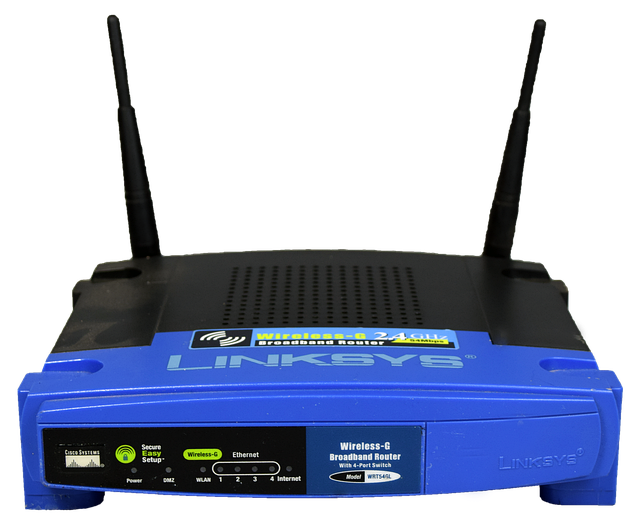
Your router isn't just a box with antennas—it's a radio telescope in reverse, constantly broadcasting into the electromagnetic chaos of modern life. The fact that it works at all, delivering gigabits of information through the air while navigating the complex physics of multipath propagation and interference, is a daily miracle of applied science.
Sometimes the best way to appreciate technology is to understand the physics it has to overcome. WiFi doesn't just connect us to the internet—it connects us to the invisible electromagnetic reality that surrounds us, one photon at a time.